
Set up the email bridge
Choose your permanent Bridge sender address and add the other parent’s name and email in Profile & Settings.
Keep communication structured in The Coparent App while the other parent continues with ordinary email.
Bridge Mode™ lets one parent use The Coparent App without requiring the other parent to install it or create an account. You write inside the app; the other parent receives the message by ordinary email and can reply by email. The conversation, replies and available attachments stay organised in your Bridge Mode record.
Most co-parenting apps assume both parents will agree to use the same service. That assumption breaks down precisely when structure, boundaries and a clearer record may be most useful. Bridge Mode removes the two-sign-up requirement: you can organise your side of the communication without forcing the other parent to change how they reply.
Choose your permanent Bridge sender address and add the other parent’s name and email in Profile & Settings.
Compose a child-focused message in The Coparent App. The service delivers it to the other parent’s normal inbox.
When the other parent replies by email, the new reply appears in your Bridge Mode conversation in chronological order.
Bridge Mode is a one-app-user communication mode. It gives the registered parent the app’s structured conversation, records, family tools and communication controls while the external parent uses email. It is different from linked-parent mode, where both parents have accounts and share the full in-app workspace.
Yes. You do not need the other parent’s agreement to organise your own account and records. Bridge Mode sends your app messages by email, so the other parent can respond without installing anything. Use neutral, child-focused wording and follow any communication arrangements or legal advice that applies to your family.
No. The external parent does not create an app account, install the app or pay. They receive the message in their existing inbox and reply by email. If both parents later want the shared app experience, you can move to linked-parent mode without paying for a second family subscription.
Each message is sent from your registered @bridge.thecoparent.app address. The other parent replies normally. The newly written portion of their reply is added to the conversation; repeated quoted history is removed from the app view so the thread remains readable. The system keeps the underlying email evidence separately from the conversation display.
Yes. Sent messages and received replies are placed in one chronological conversation. Delivery information and available attachments stay associated with the relevant message, and Bridge Mode records can be included in organised exports while the relevant export option is available. “Court-ready” means organised for review; it does not mean court-approved.
New reply text is shown without duplicating the entire quoted email chain.
Original email material and attachment evidence are handled separately from the simplified conversation view.
Yes. In Bridge Mode, Boundary Mode helps prevent repeated unanswered messaging in either direction. It allows up to three messages within a 24-hour period when the other person has not replied. A reply resets the allowance immediately; otherwise normal sending resumes when the period ends.
They receive messages and reply by email; they do not get the shared calendar, payments, calls or other in-app tools.
If both parents are willing to use the app, linked-parent mode gives each person the full shared family workspace.
Invalid addresses, full inboxes, provider blocks, complaints or opt-outs can stop email delivery. The app shows available delivery status.
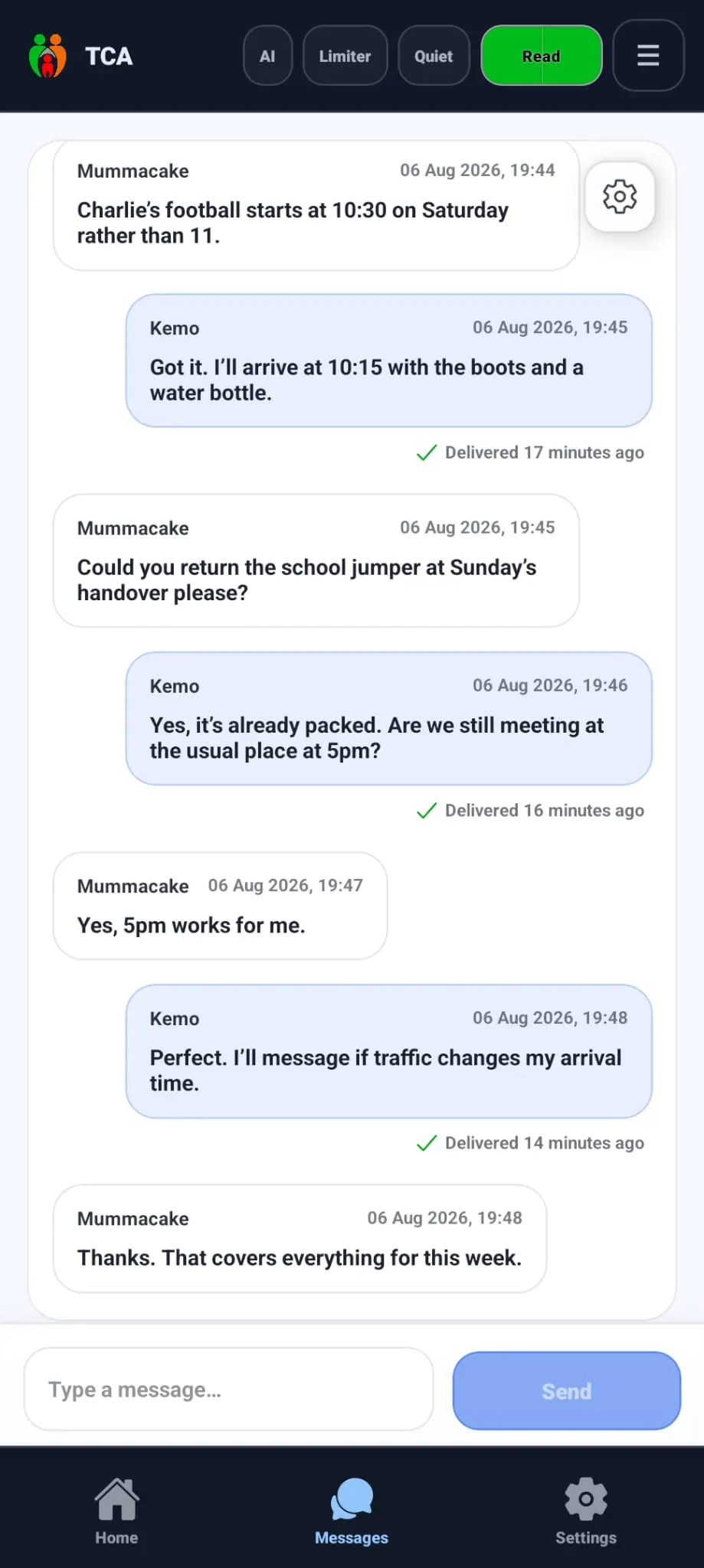
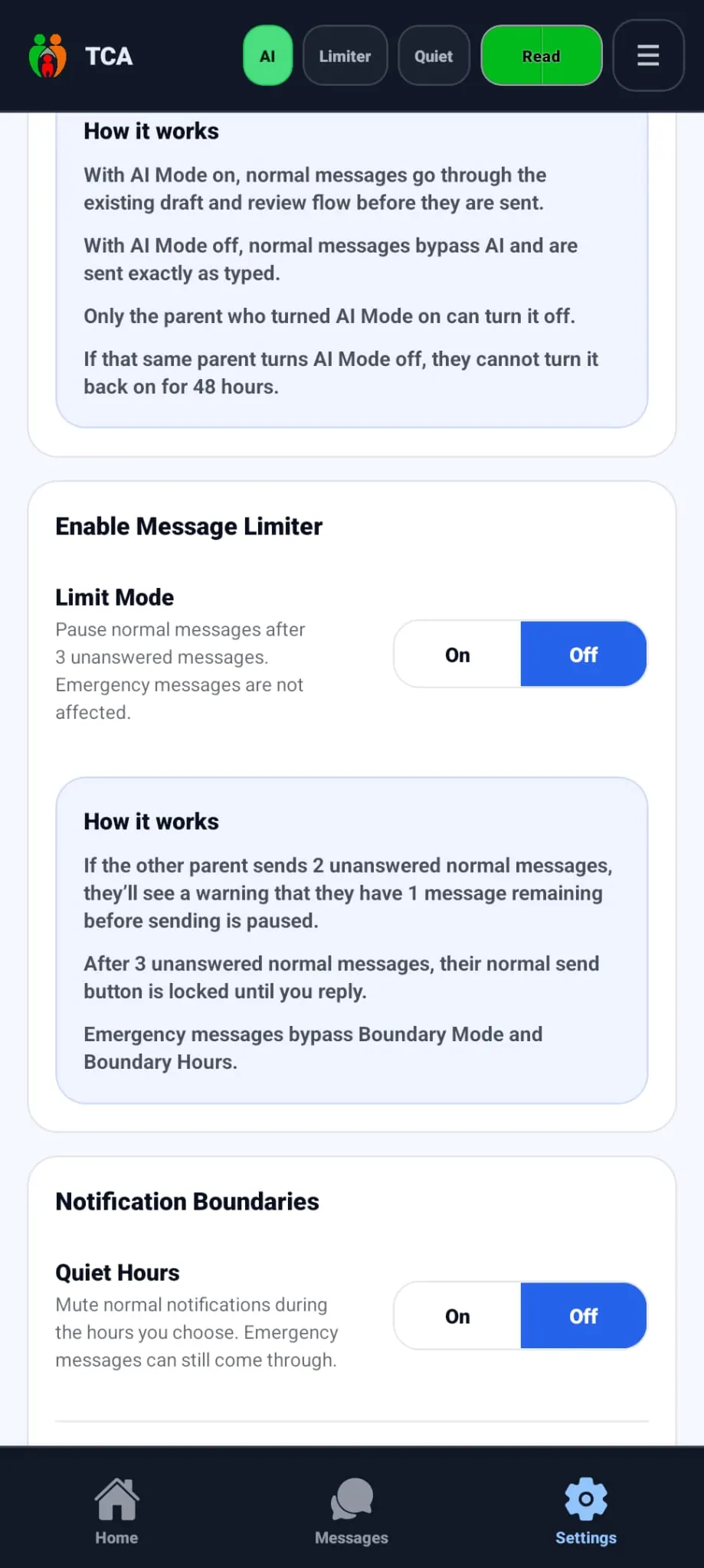
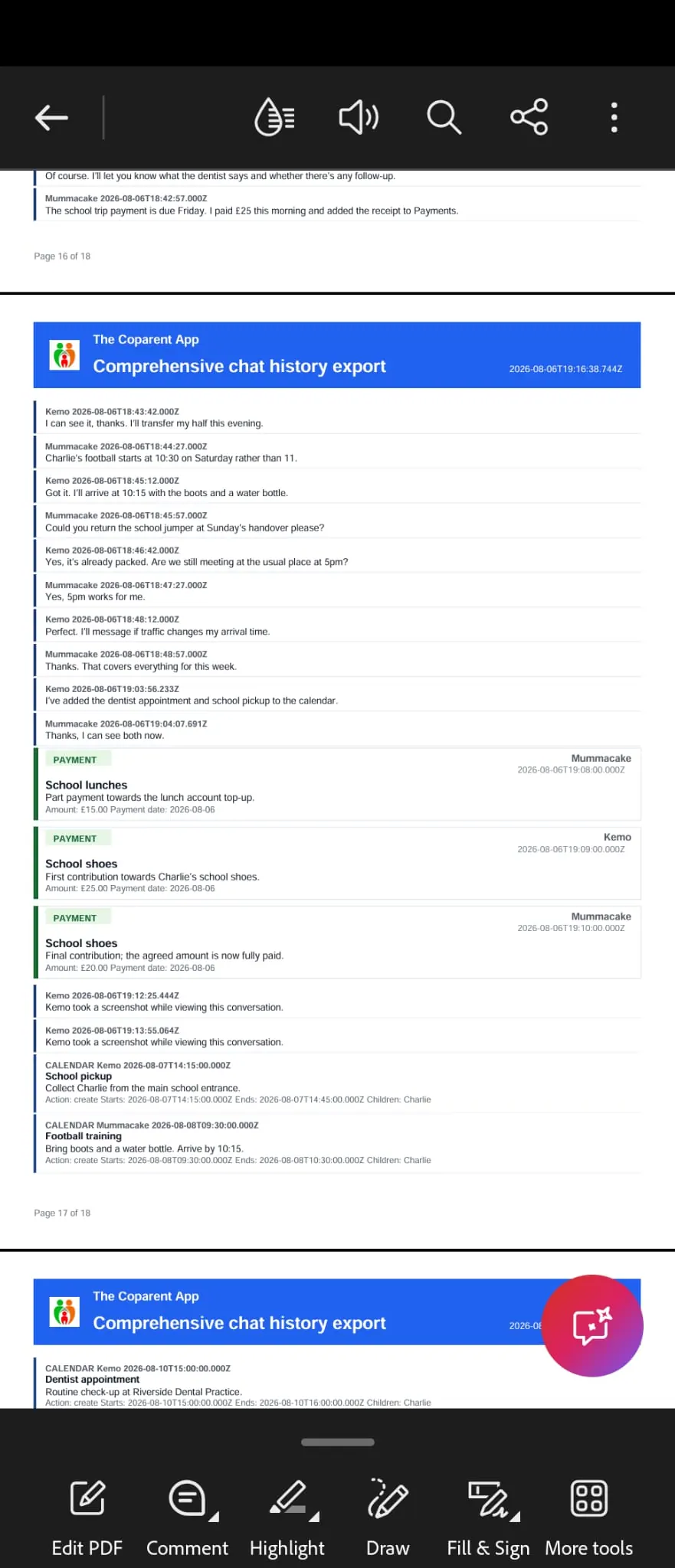
Screens show the current app design. Exact labels may vary by app version.
Bridge Mode is a participation option in The Coparent App. One parent uses the app while the other parent receives and replies to messages through ordinary email. The external parent does not need an app account.
Yes. Bridge Mode lets you create structure around your side of the conversation without requiring the other parent to install the app. They can continue using email while you use The Coparent App.
No. The other parent receives Bridge Mode messages by email and can reply from their existing email account. They do not need to register, install the app or pay.
The other parent replies to the Bridge Mode email in the usual way. Their newly written reply appears in your app conversation. Quoted email history is removed from the conversation view so the record stays readable.
Yes. App messages and incoming email replies appear chronologically in the Bridge Mode conversation. Available attachments and delivery details remain connected to the relevant message. A court or other decision-maker decides what evidence it accepts.
Yes. Boundary Mode applies a three-message allowance when the other person has not replied. A reply resets the allowance; otherwise normal sending resumes when the 24-hour period ends. Emergency handling is separate.
Setup, sending, replies, attachments, limits and moving to linked-parent mode.
See how the £9 family subscription works in Bridge and linked modes.
Understand exports, evidence wording and professional review.
Download The Coparent App for iPhone or Android. You can link another parent, or choose Bridge Mode if they prefer to continue with email.